

If you need help changing the name servers in your LinkSkyDomains.com account, then please give us full access to your LinkSkyDomains.com account (see step-by-step instructions below), so we can change/update the name servers on your behalf.
The name servers need to be pointed to:
- ns1.linksky.com
- ns2.linksky.com
- ns3.linksky.com
Here are the steps to provide us with access to your LinkSkyDomains.com account:
- Click the person icon in the top right corner
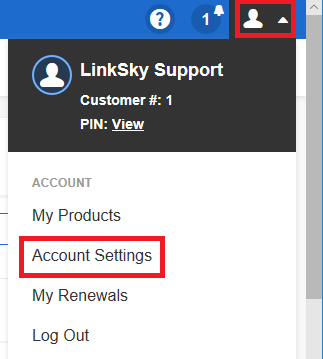
- Click “Account Settings”
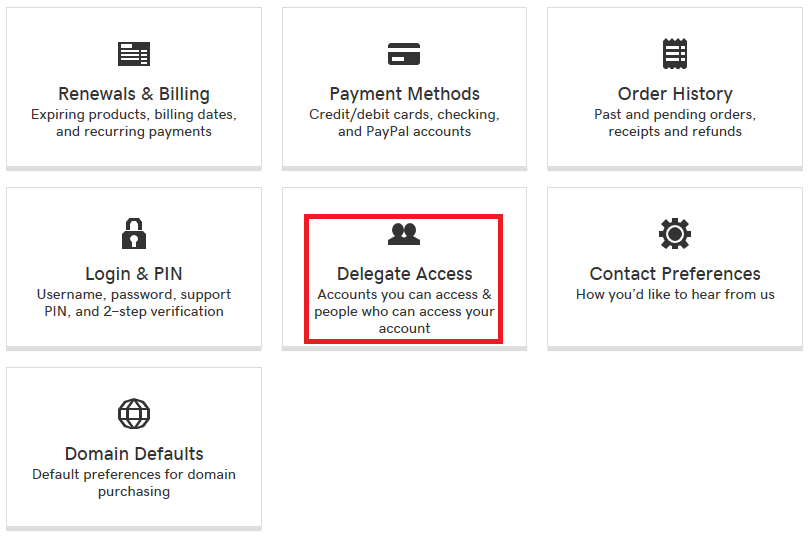
- Scroll down and click “Delegate Access”
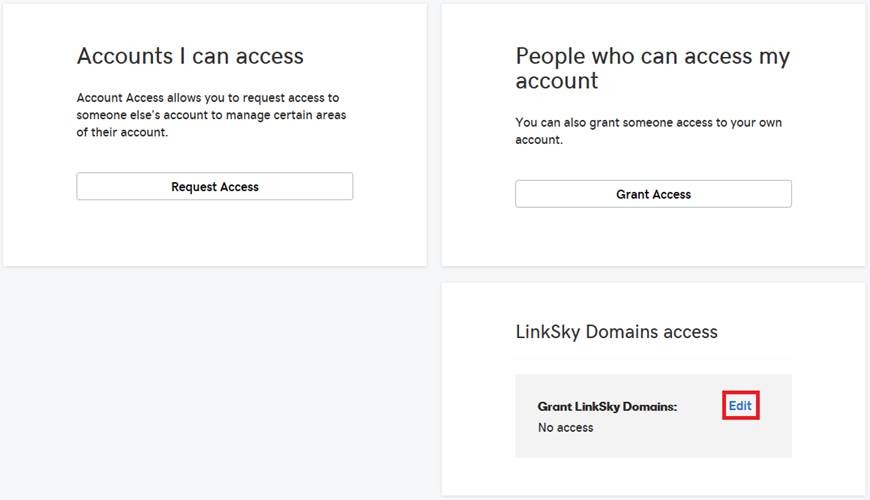
- Click “Edit” under the “LinkSky Domains access” heading
- Select “Full access”
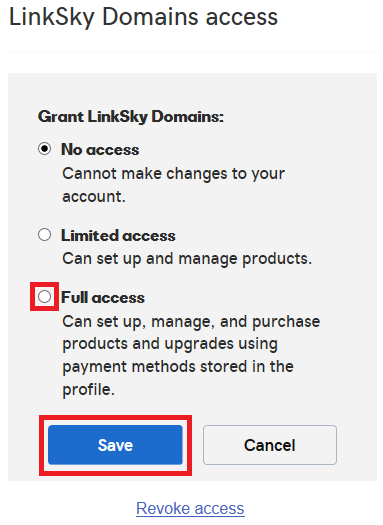
- Click the “Save” button
Please let us know if you have any questions or need further help.
