

To switch on HTML inline images when using Horde, just do this:
- Log into your webmail, then select Horde.

- Click the Options icon in the top tool bar, then select Mail in the Edit options for: menu and click Go.
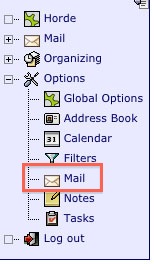
- Select Message Viewing in the middle Message Options column.

- Deselect the following option:
- Block images in HTML messages unless they are specifically requested?
Please let us know if you have any questions or need further help.
