


Click here to visit our LinkskyVisual.com home page.
Sign up for your Free Trial today!
There are two different ways to add a table to your site. Both use the HTML Code widget.
The first method begins by creating the table structure using one of the online tools listed below:
Next, drag the HTML Code widget onto your page where you want the table to appear and paste your code into the widget window.
Specifically, here are the steps:- Go to Widgets > Popular.
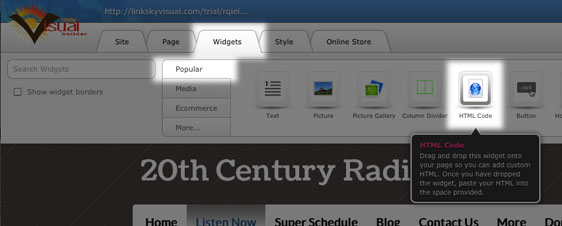
- Drag and drop the HTML Code Widget onto your page where you want the table to appear.
- The HTML Editor widget will open and allow you to write or paste in your code (use right-click > paste or ctrl-V to paste).
- When you are done, click "Save" and you'll see the table embedded into webpage.
- Of course, you'll need to type your content into each table cell.
Example Table:

The other option is to build your table in Microsoft Word, then simply paste the result code into your HTML Code Widget. However, when working with Word your document must first be converted into clean HTML. Here are two easy to use utilities for doing just that:
Please let us know if you have any questions or need further help.
