

Publish your site to the web

There are plenty of things you can do with your site and you can easily make amendments after your site has been published. However, this tutorial is going to teach you how to publish your site. When you are ready, let's proceed to the final step in creating a website.

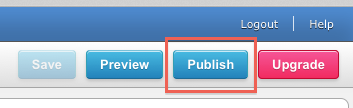
Click the Publish button in the upper right corner.
Visual-74.png

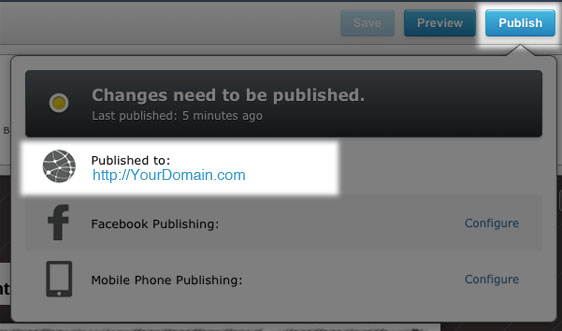
A window will drop down, select the option to publish to the web.
Visual-75.jpg

You may see a dialogue box telling you that your site is being published and that you can continue working while it's publishing in the background.

When it's completed, you'll see another notice inviting you to visit your published site.

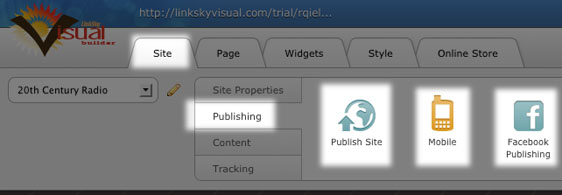
You'll also see the options to publish to your Facebook account and for publishing a mobile version.

You can also see these options here:
Visual-76.jpg

Please let us know if you have any questions or need further help.

  • 0 Los usuarios encontraron esto útil
¿Le ha resultado útil esta respuesta?

Artículos relacionados

How to Resize Large Image Attachments in Outlook

When you have to send someone a large image file through email, it’s a good idea to resize the...

Getting Started with Pinterest

Linking your Pinterest boards to your Linksky Visual site  is a great way to get traffic to your...

Adding a “LinkedIn” button

Adding a LinkedIn Share button to your website is a great way to share your website with a...

What is the Online Store?

LinkSky Visual's Online Store is a feature-rich online store, that gives you one-stop store and...

25 Commonly Used Internet Marketing Terms

adwords - Google's pay-per-click platform that allows advertisers to place paid ads that come up...