

Part 1 – Get Your Email Account Settings from cPanel
- See the following article:
Get email account settings from your LinkSky cPanel
Part 2 – Setup Email in Outlook 2016
Use email account settings to setup Outlook 2016:
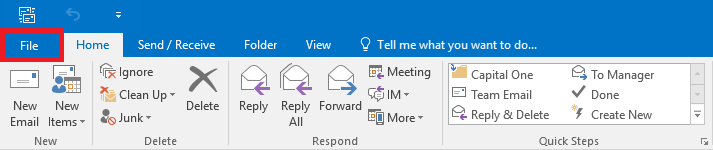
- Click "File" tab near the upper left corner of Outlook
- On the "Info" tab, click "Add Account" button

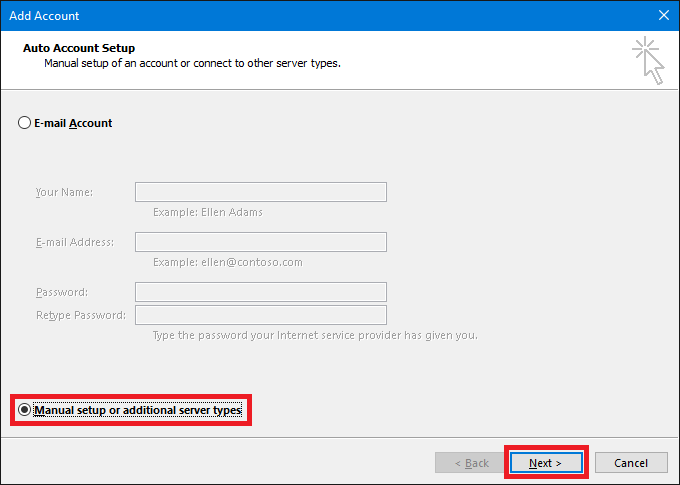
- Select "Manual setup or additional server types" and then click "Next" button
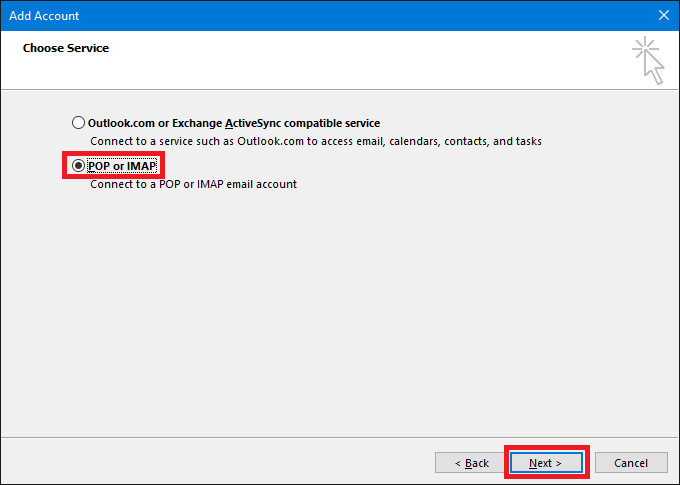
- Select "POP or IMAP" and then click "Next" button
-
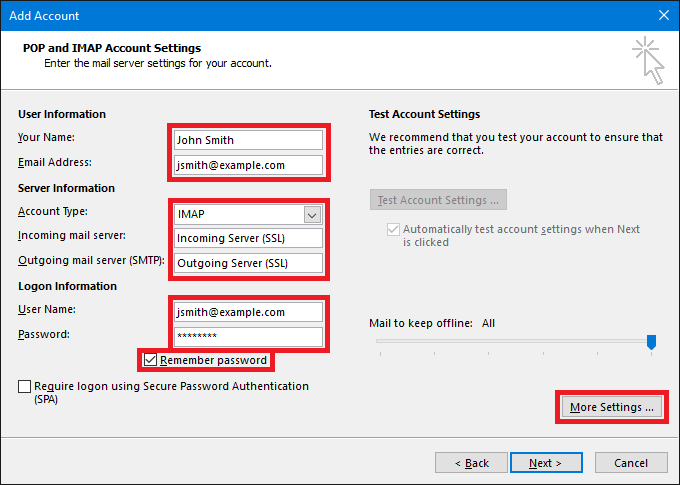
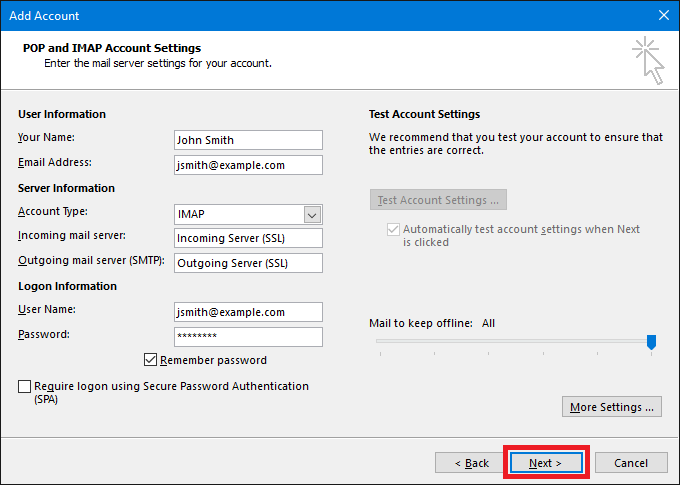
Enter your email account settings and then click "More Settings..."
- Your Name – Your first and last name
- Email Address – Your full email address
- Account Type – Select "IMAP"
- Incoming mail server – Use the Secure SSL "Incoming Server" setting from cPanel
- Outgoing mail server (SMTP) – Use the Secure SSL "Outgoing Server" setting from cPanel
- Username – Your full email address
- Password – Your email password (this is not the same as your cPanel password)
- Remember password – Check this so Outlook will not prompt you for a password every time you start Outlook
-
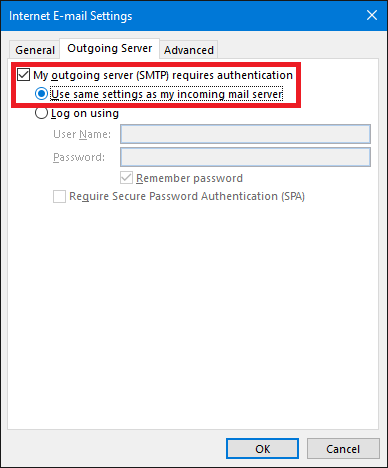
Select "Outgoing Server" tab
- Check "My outgoing server (SMTP) requires authentication"
- Check "Use same settings as my incoming mail server"
-
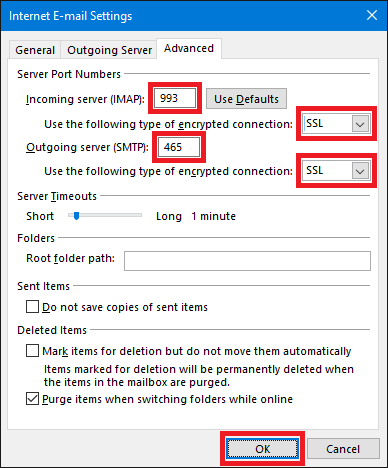
Select "Advanced" tab
- Change "Incoming server (IMAP)" to 993
- Change "Use the following type of encrypted connection" to SSL
- Change "Outgoing server (SMTP)" to 465
- Change "Use the following type of encrypted connection" to SSL
- Click "OK" button
- Click "Next" button
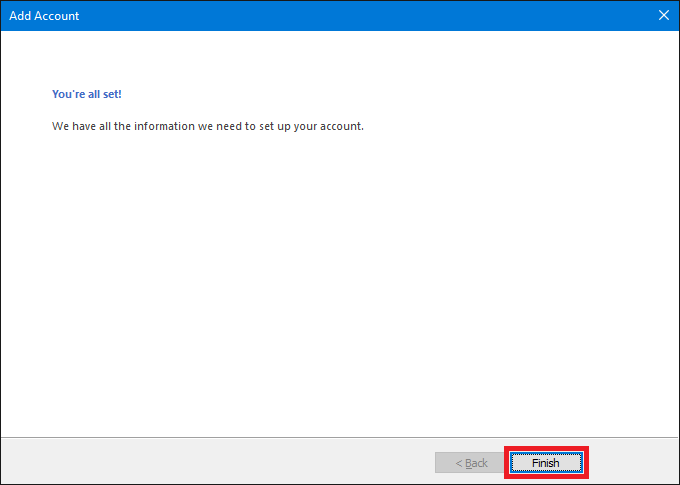
- Click "Finish" Button
Please let us know if you have any questions or need further help.
