


Click here to visit our LinkskyVisual.com home page.
Sign up for your Free Trial today!
Adding a guestbook is an effective way for people to leave their comments on your website. You can add a guestbook to your site by adding a specific widget to your site from Google Gadgets. Here's how to do this:
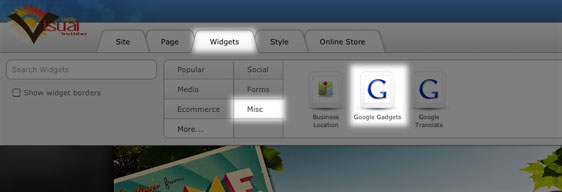
- Add a Google Gadgets Widget to your site. You'll find it in Widgets > More > Misc.
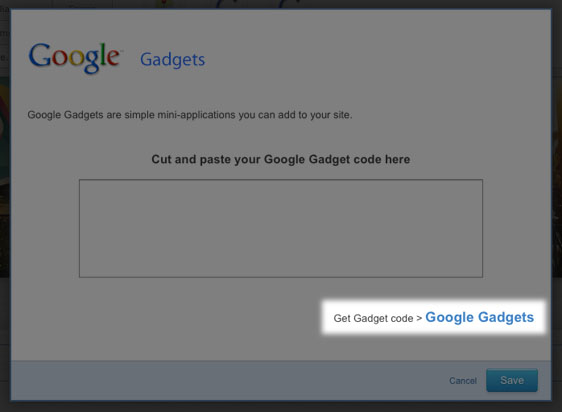
- A dialog box will open up.
- Click on "Google Gadgets" in the bottom right-hand corner. This will take you to the Google Gadgets page.
- Type "Guestbook" in the search bar at the top of the page.
- Select a guestbook from the options provided, by clicking on "Add to your webpage".
- Customize your guestbook using the options provided. You can preview the changes and, when you're ready to add it to your site, click on "Get the Code".
- Copy the HTML code provided and paste it into the dialog box on your site.
- Click on "Save" and you will have a guestbook for your site.
You can also visit smartgb.com, or search Google for "free guestbook" for other options.
Please let us know if you have any questions or need further help.
