

There are three ways to access your Billing Services area. All three go to the same page.
The direct link is here.
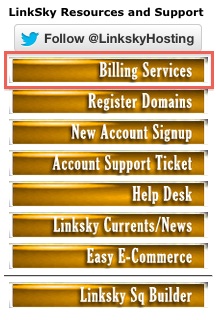
A second method is to visit LinkSky.com. Click on the Billing Services navigation button.

And finally, you can also get to that link through your cPanel. From the list of buttons on left of your cPanel home page, click on Member Billing Services login.
A new page will display where you can type your email address and a password. NOTE: This is different than your cPanel login. If you don't know the password to your Billing Services area, click the Request a Password Reset link and a new password will be sent to you at the email address in your record. Click on Log in.
In this account you can manage your current hosting services, order new services, pay invoices, update your contact and billing information, cancel services and more.
You can also enroll in LinkSky's Affiliate Program (free). Receive a $20 credit as a bonus just for becoming an affiliate, then 20% commission on all hosting fees thereafter!
To log out, click the Hello, link on the upper right and select Logout from the drop down menu.
Please let us know if you have any questions or need further help.
