


Add a Calendar to your website

LinkSky-Visual-Full-Logo.jpg
Click here to visit our LinkskyVisual.com home page.

Sign up for your Free Trial today!


Looking for a calendar for your website?  You can add a calendar to your site by using a service like the Google calendar or calendars.net.

To do this, you will need to copy the HTML embed code provided by the website where you decide to create your calendar, then go back to your LinkSky Visual SiteBuilder and follow these steps:

  1. Click on Widgets > Popular.
  2. Drag and drop the HTML Code Widget onto your page.
  3. Paste the code into the HTML Editor. Use right-click > paste or Ctrl-V to paste.
  4. When you are done, click "Save". 
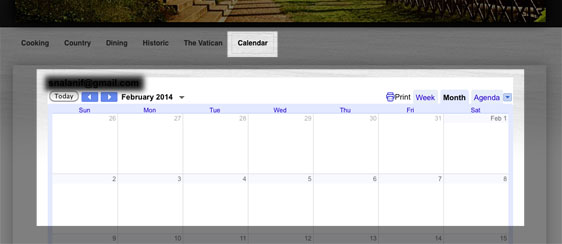
  5. You will see your custom calendar displayed on your page.
Visual-31.jpg

Please let us know if you have any questions or need further help.

  • 0 Utenti hanno trovato utile questa risposta
Hai trovato utile questa risposta?

Articoli Correlati

How to Resize Large Image Attachments in Outlook

When you have to send someone a large image file through email, it’s a good idea to resize the...

Getting Started with Pinterest

Linking your Pinterest boards to your Linksky Visual site  is a great way to get traffic to your...

Adding a “LinkedIn” button

Adding a LinkedIn Share button to your website is a great way to share your website with a...

What is the Online Store?

LinkSky Visual's Online Store is a feature-rich online store, that gives you one-stop store and...

25 Commonly Used Internet Marketing Terms

adwords - Google's pay-per-click platform that allows advertisers to place paid ads that come up...