


Click here to visit our LinkskyVisual.com home page.
Sign up for your Free Trial today!
Allowing others to leave their comments on your website can be fun, as well as giving you great insight into the types of visitors your site receives!
For a simple Comments feature on your site, you can use one of the following two options:
Disqus Comment Box
- To get the comment code, your site needs to be published.
- Please go to Disqus.com and register for an account by clicking on "login".
- Click on "Create an account".
- Sign in using Twitter or Google or with your email address.
- Fill out your information.
- Click on the "+Add" button next to "Your Sites".
- Fill out the details for your site and click on "Continue".
- Click on "Universal Code".
- Highlight the code in the box and copy.
- Go to your page in your Sitebuilder.
- Drag and drop the HTML Code Widget onto your page.
- Paste the code into the HTML Editor.
- Click "Save".
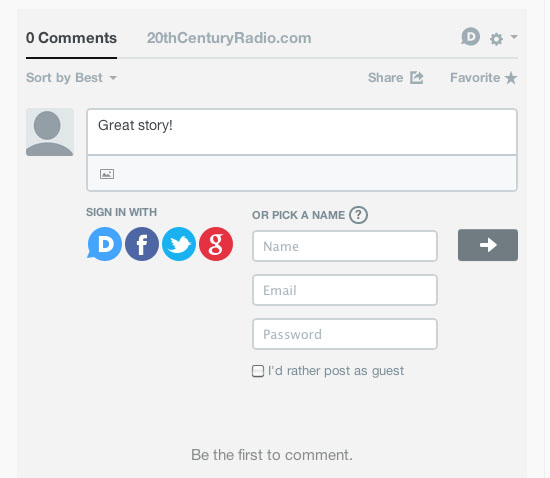
Sample Disqus comment box (customization options are available):
HTML Comment Box
- First log in to your Google account. If you do not have one, then you can create a free Google account here.
- Then go to the Html Comment Box.
- In the blue box, click on "Log in".
- You will be taken to your Google email account.
- Enter your login information.
- Once completed you will be taken back to the HTML Comment box site.
- Please select the options you want available (found in the blue box).
- Copy the code you see in the green box.
- Go to your site, drag and drop the HTML Code Widget onto your page.
- Paste the code you just copied into the HTML Editor.
- Click "Save".
- Save and republish your site to see your comment box working.
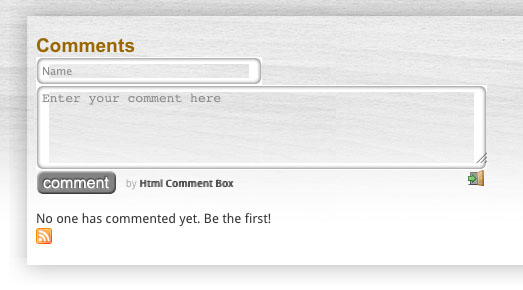
Sample HTML Comment Box (customization options are available):
Please let us know if you have any questions or need further help.
