

Part 1
To get your email account settings from your LinkSky cPanel:
- Login to cPanel (or have the account owner login to cPanel)
- Not sure how to login to cPanel? See help article, "How Do I Login to cPanel?"
- Click "Email Accounts" icon

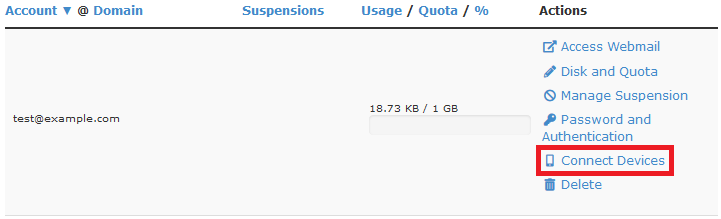
- Click "Connect Devices" to the right of the email address you would like to setup (see screenshot below)
- You will find your email account settings in the "Secure SSL/TLS Settings" table
Part 2 – Setup your email app/program
Please let us know if you have any questions or need further help.
