

LinkSky Visual recommends changing all of your passwords on a monthly basis.
In order to set a new password, you'll need to know your current password. If you don't know your current password, you can ask us to reset it for you.
You can submit the request through our Support Resources. If you don't have an account to manage your support ticket requests, simply create one at the prompt.
For security reasons, we may reply with a request to verify some information in our records.
Or you can make your request from within your BILLING SERVICES area. Click the Open Ticket link in the menu bar.
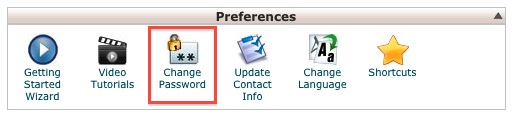
If you already have access to your cPanel:
In the Preferences section, click on the Change Password link.
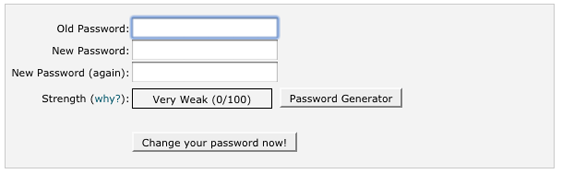
cPanel will reject your new password if it does not meet minimum security requirements described there.
Please let us know if you have any questions or need further help.
