

Addon domains are used to add another website to your existing LinkSky Hosting service. Our plans currently provide the following number of addon domains:
- Standard Feature – 2 addon domains
- Extended Feature – 4 addon domains
- ULTRA Feature – 10 addon domains
- Pro Feature – 25 addon domains
To setup an addon domain:
- Change your domain's name servers to LinkSky
- See help artidcle, "What Are LinkSky's Name Servers?"
- Login to cPanel (or have the account owner login to cPanel)
- Not sure how to login to cPanel? See help article, "How Do I Login to cPanel?"
- Click the "Addon Domains" icon under the "Domains" section (see screenshot below)
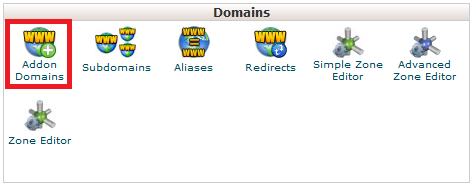
- Enter your domain name into the "New Domain Name" field
- Note: cPanel will automatically assign a "Subdomain" and "Document Root"
- Click the "Add Domain" button
Please let us know if you have any questions or need further help.
