

Adding "alt text" to pictures

Search engines cannot "see" pictures, they read text. You can help the search engines "see" the topic of your pictures by giving them something called an "alternate attribute" or "alternate text".

If you added the picture using the Picture Widget, you can add alt text as follows:

  1. Click on the Picture Widget in your page, and then click "Edit" in the top left corner.
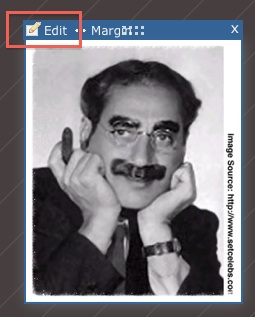
    Visual-84.jpg
  2. Under "Alternative Text", enter your description in the box provided.
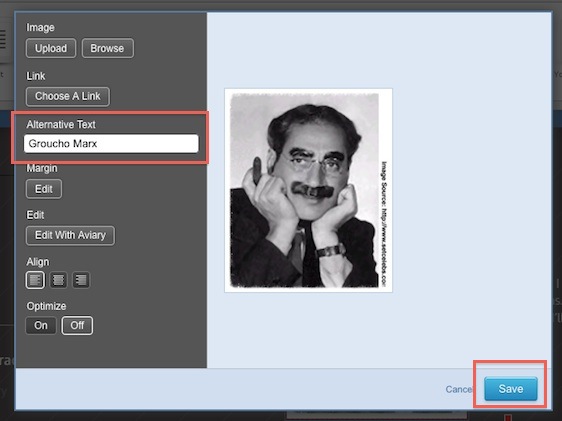
    Visual-85.jpg
  3. When you have typed in your text, click "Save".

Please let us know if you have any questions or need further help.

  • 0 Users Found This Useful
Was this answer helpful?

Related Articles

How to Resize Large Image Attachments in Outlook

When you have to send someone a large image file through email, it’s a good idea to resize the...

Getting Started with Pinterest

Linking your Pinterest boards to your Linksky Visual site  is a great way to get traffic to your...

Adding a “LinkedIn” button

Adding a LinkedIn Share button to your website is a great way to share your website with a...

What is the Online Store?

LinkSky Visual's Online Store is a feature-rich online store, that gives you one-stop store and...

25 Commonly Used Internet Marketing Terms

adwords - Google's pay-per-click platform that allows advertisers to place paid ads that come up...