

An excellent way to promote and share your website's content is via social networking. Social networking buttons such as "tweet", "Like" and "+1" are an easy way to get more traffic to your site.
By clicking on a social networking button, users add your site to their Twitter, Facebook or Google+ feed. Adding the social networking buttons to pages on your LinkSky Visual site lets visitors recommend your content, knowing that their friends and contacts will see their recommendation. All this, without having to leave your site!
The Widgets > Social tab in the Sitebuilder has a handy "Share Me" widget that allows you to add all three social networking to your site quickly and easily.
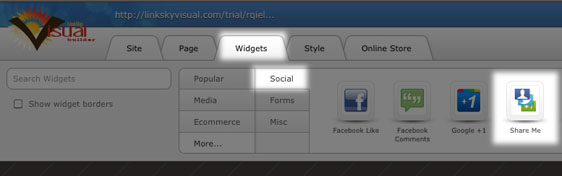
Because all the buttons are together, you don't have to worry about aligning and positioning them. You also don't need to configure it - simply drag and drop the widget to the desired place on your page, save and publish your site! When a visitor clicks on a button, they will be prompted to log into their social networking account and a story appears in their feed, with a link back to your website or page.
Please let us know if you have any questions or need further help.
